Sample Sheets Overview
In SODAR, sample sheets are used to model the study design metadata for research projects. They contain links and shortcuts to data files and enable integration with external tools.
The Sample Sheets application is used to import, browse, edit and the study metadata. It also serves as the access point to files related to the studies, hosted on the iRODS distributed mass storage system.
You can access the Sample Sheets app by navigating to a project and clicking the Sample Sheets link on the project sidebar. Alternatively, you can click the icon in the Sheets column in the project list found on the SODAR home page.
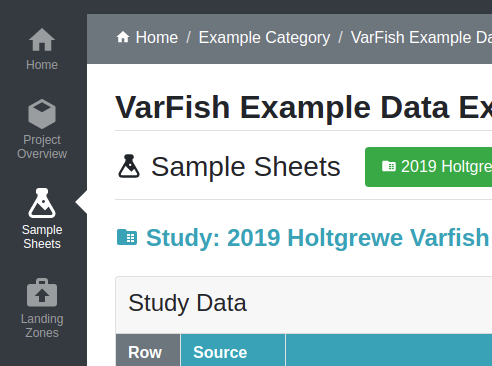
Sample Sheets link in the project sidebar
Detailed information on using the application for various sample sheet related actions are presented in following subsections.
This part of the manual details the graphical user interface of the Sample Sheets app. For programmatic access to most of these features, see Sample Sheets API.
Hint
SODAR v1.3 introduces the new Vue3 app for browsing and editing sample sheets. By default, users still see the old application. To enable the new version on your user account, go to User Settings and toggle Enable Sample Sheets Vue3 app.
Apart from some bug fixes and layout tweaks, the functionality of the Vue3 app is intended to be identical to the legacy app.
The new app is still in beta and may contain bugs. Please report any issues via the SODAR Server issue tracker in Github. In case of encountered issues, you can switch back to the legacy app.
The legacy Vue2 sample sheets app will be retired in SODAR v1.4.